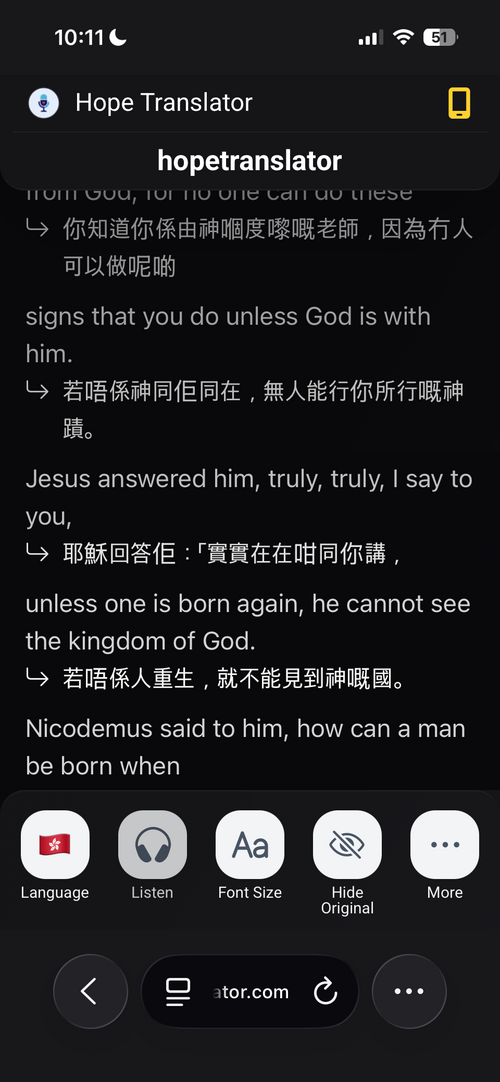
Language / Select a language: Viewers choose which language they want the speech translated into. Each person can pick a different language (e.g. Spanish, Korean, Vietnamese). The translation and, when available, the AI voice follow this choice.
Show or hide original and transcription
Show Original / Hide Original: Toggle whether the original (source) text is shown above or alongside the translation. Hiding the original gives a cleaner view when they only need the translated text.
Show Transcription / Hide Transcription: Toggle the live transcription (what’s being said in the source language). Viewers can show both translation and transcription, or only the translation.
Font size and display
Adjust Font Size / Font Size: Viewers can make the text larger or smaller for readability on their device.
Light Mode / Dark Mode: Switch between light and dark theme. Dark mode is easier on the eyes in low light (e.g. in a dimmed room or at night).
Header and extra options
Always Show Header / Auto Hide Header: The header (with language, settings, etc.) can stay visible or auto-hide to maximize space for the translation text.
Listening to the translation
Listen: When AI voice is enabled for the broadcast, viewers can tap Listen to hear the translation read aloud in their selected language (typically in the mobile app).
Playback (audio) and quality
Show Transcription Quality Score / Hide Transcription Quality Score: Optional indicator of how confident the system is in the transcription (useful for technical or noisy audio).
Sharing and connection
Share link with neighbors: Viewers can share the same channel link with others (e.g. Invite others to scan this QR code to join the channel).
Reconnecting... / Connected / Connection lost...: Status of the live connection. If the host hasn’t started yet, they see Waiting for host....
Channel not found: Shown if the channel doesn’t exist or was removed. Viewers can Return to home page to try another link.